

How an AI agent collects incoming invoices from the inbox and files them
Invoices arrive by email, and someone has to find, name and file them. An AI agent does this every morning, and your team only reviews the exceptions. How it works step by step, how we do it ourselves and what the figures from Carinthia show.
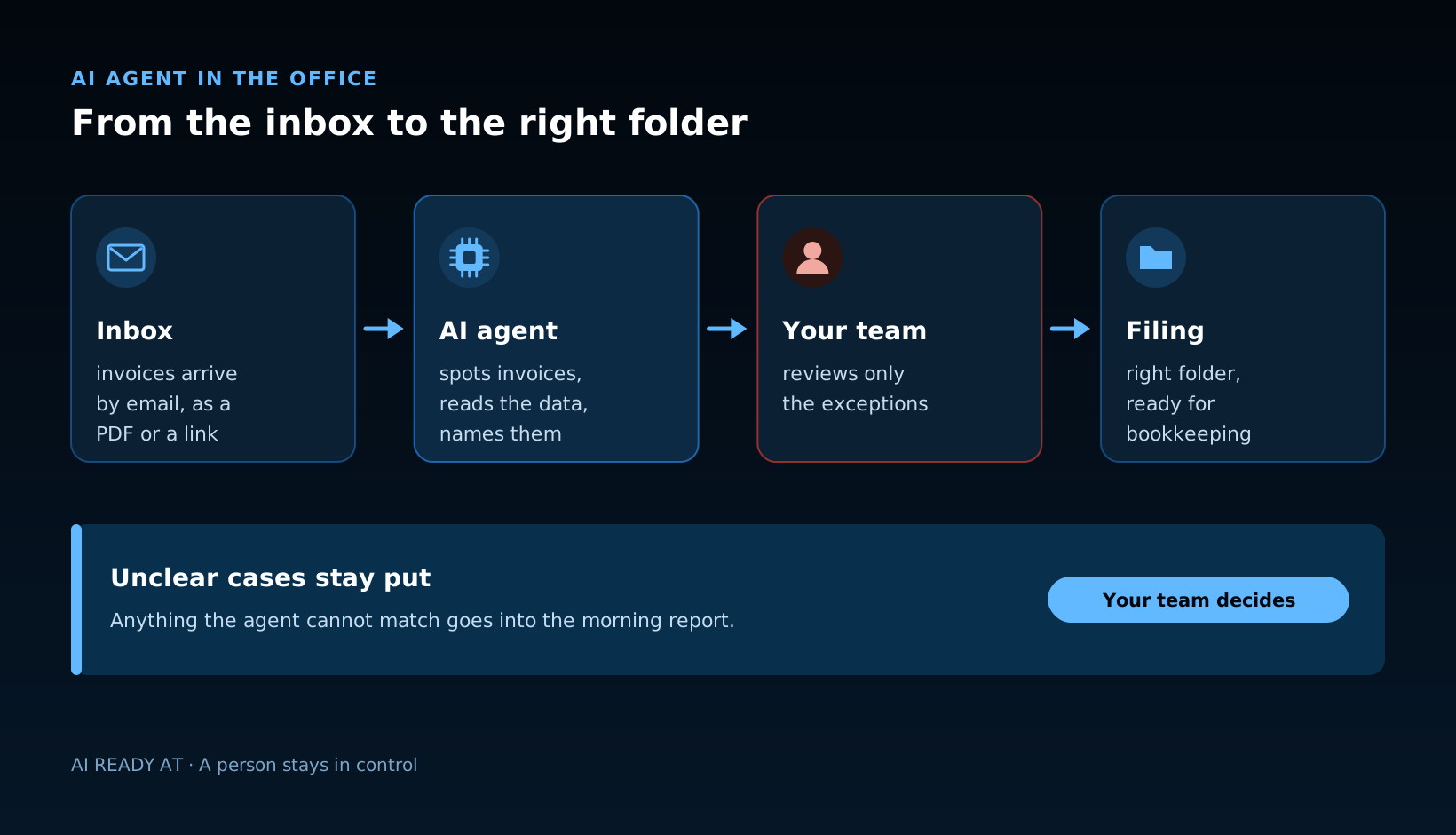
The short answer: an AI agent takes the filing of incoming invoices off your hands. An AI agent is a program that carries out a recurring task step by step on its own and asks a person when something is unclear. For invoices, it collects new emails from the inbox, recognises which of them are invoices, reads supplier, date and amount, names the file consistently and files it in the right folder. Anything it cannot match with certainty is not dropped somewhere, it is reported. Your team still makes the decisions.
Why does filing invoices take so much time?
Because it is made up of many small steps. Invoices come from suppliers, software vendors and public authorities, sometimes as a PDF attachment, sometimes as a download link, sometimes in an email that does not look like an invoice at all. Each one is quick: open it, check it, rename it, drag it into the right folder. Added up, it is work that comes back every week, that nobody enjoys and where things easily get left behind.
This kind of process is a good fit for a first AI agent: it happens often, follows clear rules and has few, but recognisable, exceptions.
How invoice filing works with an AI agent, step by step
- The agent collects new emails. Every morning from the inbox, for example from Microsoft 365, with read access only to the folders it needs.
- It recognises the invoices. Attachment, link or email text: it tells invoices apart from quotes, reminders, newsletters and advertising.
- It reads the key data. Supplier, invoice date, invoice number and amount.
- It names and files. Following your scheme, for example date, supplier and amount in the file name, in the right folder for the month or company.
- It reports the exceptions. Anything it cannot match with certainty stays put and appears in a short report. A person takes a quick look and decides.
What changes: nobody has to search the inbox for invoices any more. Bookkeeping finds the documents complete, consistently named and in one place. People only deal with the cases that really need a decision.
How do we do this at AI Ready ourselves?
Exactly like this. Every morning an AI agent collects the new emails from Microsoft 365, recognises the invoices, names them consistently and files them in the right folder. Anything it cannot match with certainty stays put and appears in its morning report. We have learned three things:
- Start small. A process that runs the same way every day is the best first candidate.
- Rules first, then AI. Define folders, file names and exceptions, then automate. An agent can only file as tidily as the filing system is designed.
- People stay involved. The agent prepares, we decide. Unclear cases are reported, not guessed.
Are businesses in Carinthia already using AI for processes like this?
More and more. According to Statistics Austria, 23.6 per cent of businesses in Carinthia with ten or more employees used artificial intelligence in 2025, up from 8.2 per cent in 2023. Across Austria the figure is 29.9 per cent. What stands out is the purpose: in Carinthia, AI for process automation is more widespread than AI for data analysis, while in the rest of Austria it is the other way round. Of the Carinthian businesses using AI, 21.4 per cent use it for process automation and 18.0 per cent for data analysis. Across Austria, roughly one in five businesses using AI applies it in finance and accounting, namely 22 per cent.
The State of Carinthia works the same way. According to ORF Carinthia, the state's own AI went live in the administration in December 2024, among other things to pre-check funding documents such as invoices. In January 2026, ORF reported on the state's first AI agent: it checks documents for the "Raus aus Öl" heating subsidy for completeness and accuracy and then passes them to the case officer for final approval. It is the same pattern as invoice filing in a business: the agent prepares, a person approves.
What does a business need for this to work?
- A clear entry point. Ideally one inbox or folder where invoices arrive, or clear rules for how the agent recognises them.
- A well thought-out filing system. Folder structure and file names that a new colleague understands straight away.
- Rules for exceptions. What happens to credit notes, reminders or invoices without an attachment? Who receives the report?
- Only as much access as needed. The agent reads the folders it needs and only writes to the filing system.
- Handling of data. Invoices often contain names, addresses and bank details. Clarify where they are processed and who has access.
What this means for your business
The best first step is a single process that happens often and takes a lot of time. In many offices, that is filing invoices. We look at how invoices arrive with you today and where they should end up, agree rules and exceptions with you and connect the agent to inbox and filing. Your data stays under control: depending on the business with Claude or ChatGPT in the business edition or with a local model, and our AIROS Gateway checks what is sent to external AI services.
Which other processes we automate is described under AI automation. How we support businesses in Villach, Klagenfurt and across Carinthia is described under AI consulting in Carinthia.